
Using vLLM in Jupyter AI#
(Return to the Chat Interface page)
vLLM is a fast and easy-to-use library for LLM inference and serving. The vLLM website explains installation and usage.
Note
To use vLLM via OpenRouter as described below you will need to upgrade to jupyter-ai >= 2.29.1.
Depending on your hardware set up you will install vLLM using these instructions. It is best to install it in a dedicated python environment.
Once it is installed you may start serving any model with the command:
vllm serve <model_name>
As an example, the deployment of the Phi-3-mini-4k-instruct model is shown below, with checks to make sure it is up and running:

vllm serves up the model at the following URL: http://<url>:8000/v1
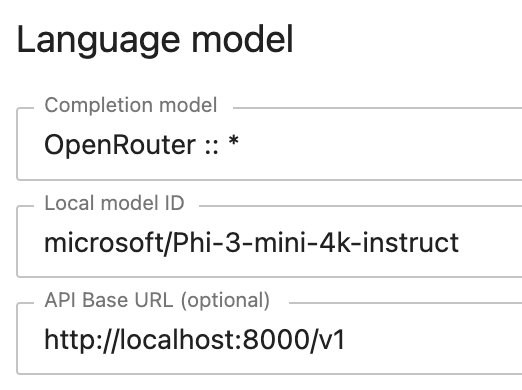
Start up Jupyter AI and update the AI Settings as follows (notice that we are using OpenRouter as the provider, which is a unified interface for LLMs based on OpenAI’s API interface):
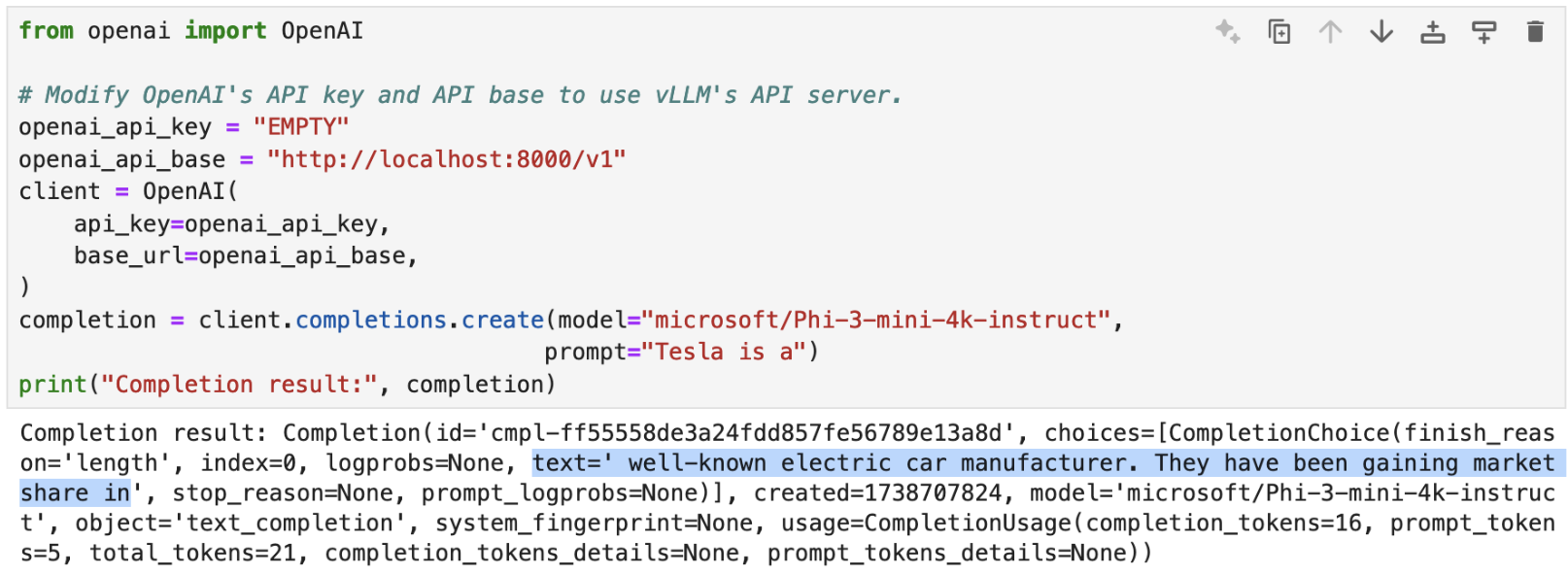
Since vLLM may be addressed using OpenAI’s API, you can test if the model is available using the API call as shown:
The model may be used in Jupyter AI’s chat interface as shown in the example below:
